

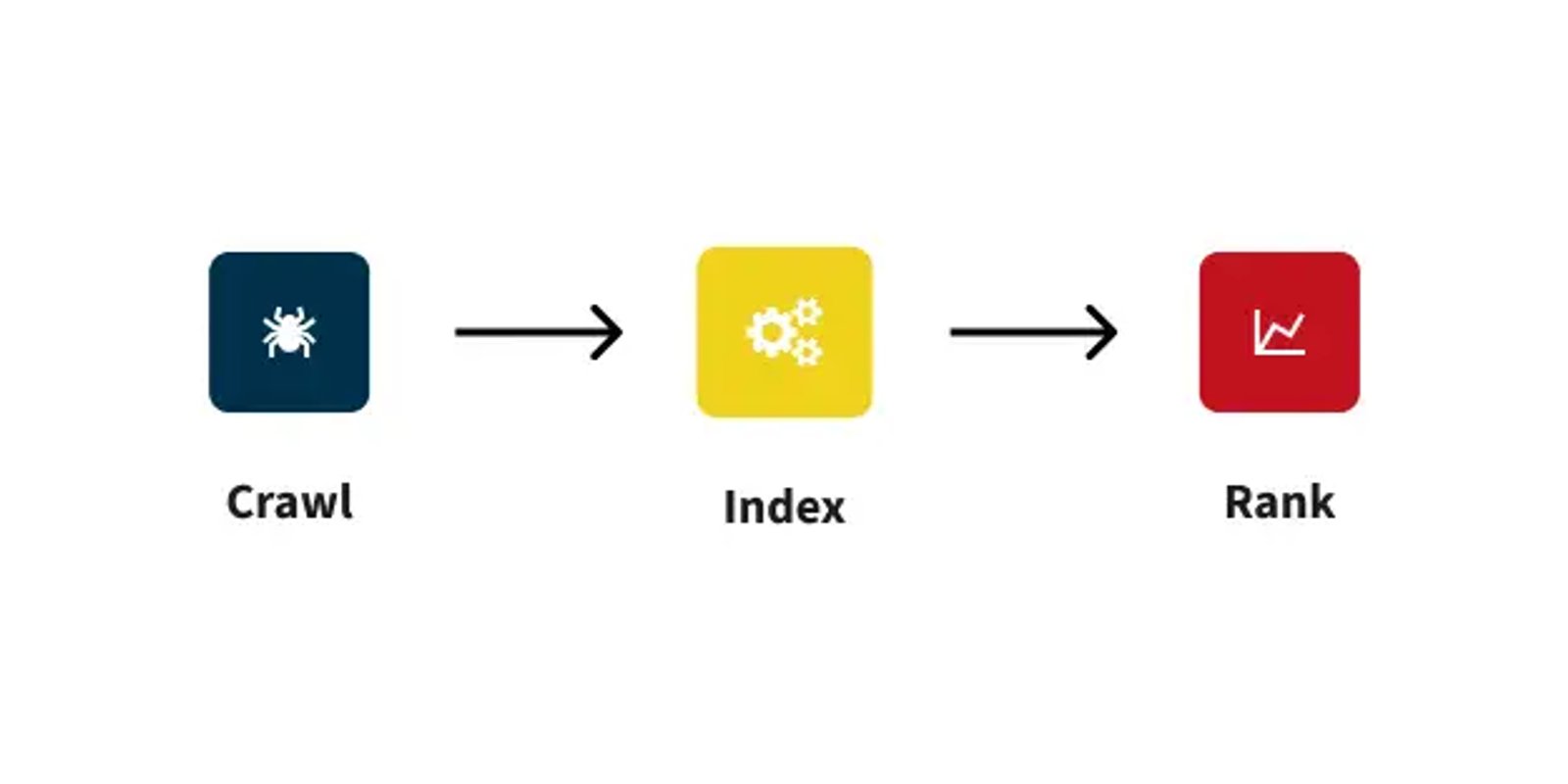

Technical SEO is the foundation that allows search engines to understand, rank, and display your website. In simple language, it is concerned with how well the search engine can find your content. When the technical foundation is weak even the best content with the strongest backlink profile won’t work as well.
This is meant as a high-level article and not on practical implementation. If you’d like to go deeper, Google Search Central is the best place to start.
Crawling & Indexing
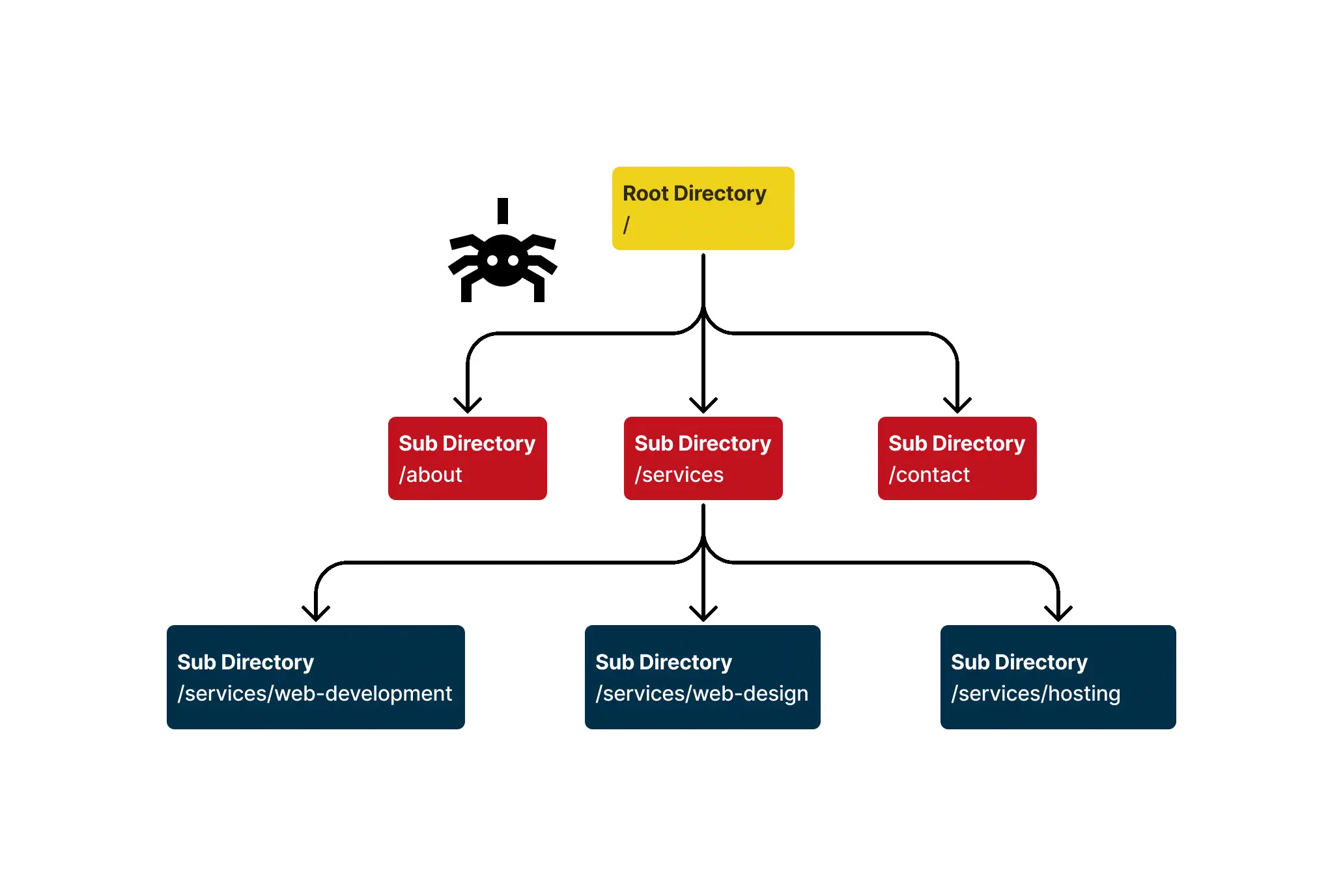
Before your site can appear in search results, search engines must first crawl your website and index its pages. It’s important to remember that search engines rank individual pages, NOT entire websites. Crawlers begin at your top-level domain and work their way through your URL structure until they reach the final page, then return to the top level. From there, the search engine determines whether a page is valuable enough to index. If it is, the page becomes eligible to rank and can begin appearing in the SERP (Search Engine Results Page).
We have several ways to control what gets crawled, what gets indexed, and what is excluded from search results. Sometimes we don’t want certain files such as videos, images, or pages to be indexed. This can be for many reasons, including sensitive information, duplicate content, outdated content, and etc.
This is where sitemaps, robots.txt, canonicals, links, and metadata come in. These tools help us manage how search engines access and interpret our content.
Sitemap
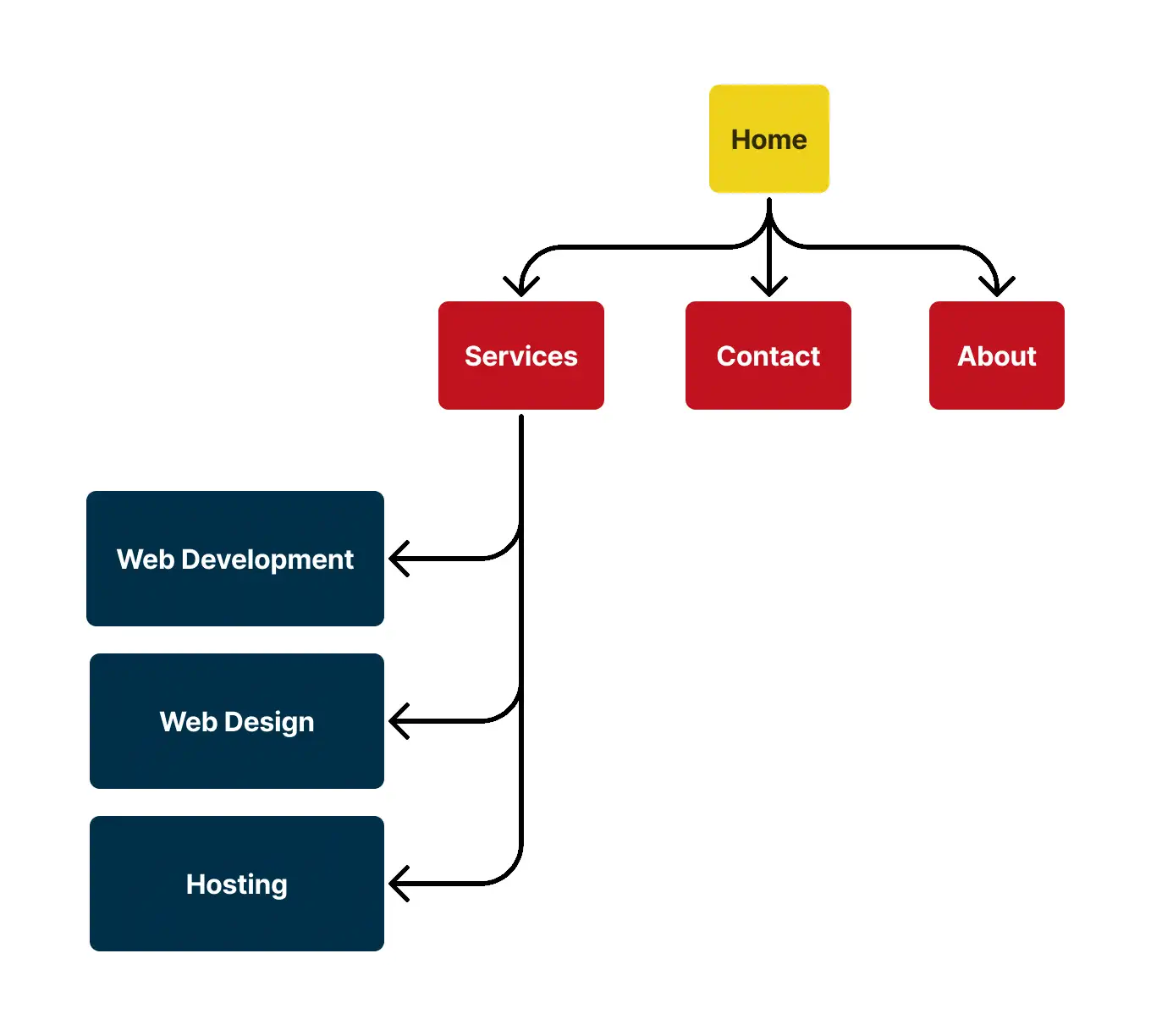
A sitemap is a file written in XML or HTML that lets us tell search engines which files and pages relate to each other. This helps search engines understand which content to prioritize when crawling. Because each website is given a limited crawl budget, specifying details such as when a file was last updated helps search engines decide what to revisit and what to skip on the next crawl.
For small websites, this may not matter much. But for larger sites with 1,000+ pages, sitemaps become essential. Once your crawl budget is used up, the crawler stops whether it has reached every page or not and you’ll have to wait until the next crawl cycle.
robot.txt
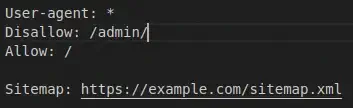
robots.txt is a file that tells search engines which files or directories their crawlers are allowed to access. If a file is disallowed, it still exists on your server, but the crawler should not visit it, and in most cases it won’t appear in the SERP. There are a few exceptions, though:
- If another website links to a disallowed URL, the page can still appear in search results as an un-crawled, un-rendered URL.
- Not all search engines support the same directives, and different crawlers may interpret robots.txt rules differently.
Because of this, it’s important to be careful when configuring your robots.txt file to avoid unintentionally blocking valuable content.
Canonical
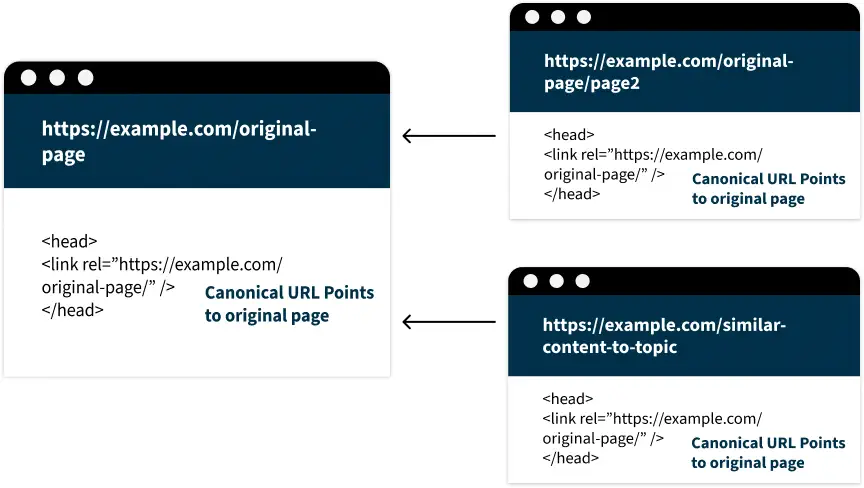
A canonical tag tells search engines which version of a page is the primary one when duplicate or similar pages exist. This consolidates ranking signals — including link equity — toward the preferred URL, preventing them from being split across multiple versions. It also guides crawlers on where to direct their attention, ensuring search engines index and rank the right page.
URL Slugs
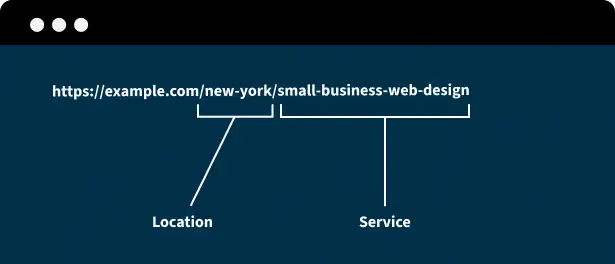
A URL slug is the part of a URL that identifies a specific page on a website. A clear, descriptive slug helps search engines better understand the content of the page while crawling.
Page Structure
Having a proper page structure tells the search engine what the most important parts of the document are. A document for SEO purposes in order are:
Header Tag
At the top of the document and is where your navigation links are held, to navigate around the site. To help the user and crawlers find the pages or information they’re looking for.
Main Tag
Main is where content is found. This holds your heading structure (h1, h2, etc.), paragraph, article and sections tags. The heading structure is for the “importance of topic” and must be in numerical order. You start with your main topic in the h1 and slowly get more granular in your h2’s, h3’s and etc. until you’ve reached the max sub topic. Paragraphs, and lists are just ways we chunk different information under each heading. Articles and sections create a break between different headings.
Footer Tag
Any important navigation links or information that a user might need to access site wide. Again, help the user and crawlers find the pages or information they are looking for. Using the footer is helpful to prevent orphan pages which we'll talk about later.
Links
Links are simply ways to point to other web pages, and anchor text is the clickable text within those links. Both help crawlers understand the relevance of pages and discover new content to crawl. Generally, there are three types of links.
Internal Links
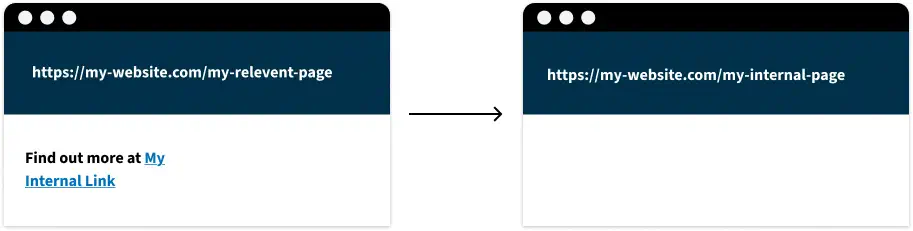
Internal links are links that point to other pages within your own website. Internal links help establish site structure, distribute authority, and reinforce topical relevance. There are strategies such as content siloing that involve linking related pages together within the same category to strengthen their thematic connection and improve overall site organization.
External Links
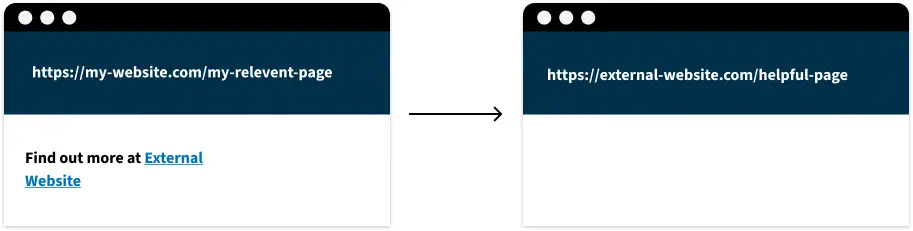
External links are links that point to pages outside your website. If you don’t want to pass authority or credibility to the destination page, you can add a rel attribute, such as nofollow to signal that search engines should not transfer authority through that link.
Back Links
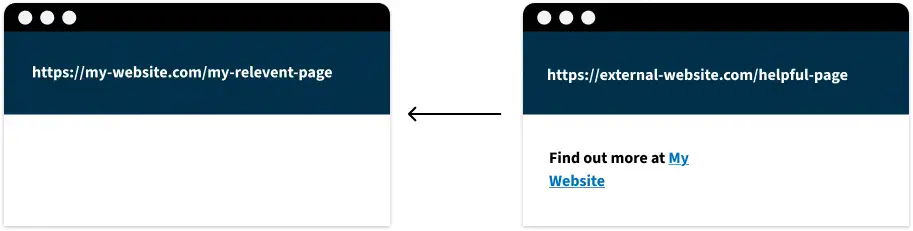
Backlinks are links from other websites that point to a page on your site. They signal to search engines that your content has value, helping to build your site’s domain authority. Over time, this authority improves the ranking of future pages you publish as search engines are more likely to favor your site over competitors for the same topic.
Page & Content Metadata
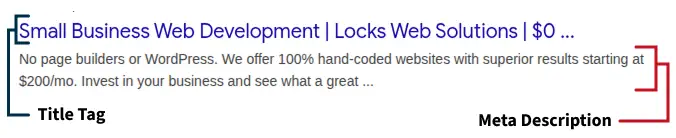
Title and description tags provide search engines with key information about your page. Other meta tags exist, but they are typically used for specific cases rather than general SEO.
Title Tag
The title tag describes the content of a page. It helps search engines understand what the page is about during crawling and often appears as the clickable headline in search results.
Description Meta Tag
The meta description works similarly to the title tag, but provides a brief summary of the page’s content.
Search Appearance
Now that the search engine has properly evaluated and indexed our page, let’s discuss what appears on the SERP. While these elements aren’t direct ranking factors, they can significantly influence click-through rates (CTR) which in turn can impact rankings.
Title & Description Metadata
The title tag and meta description that were crawled earlier also appear in the SERP, often forming the main headline and snippet that users see in search results.
Favicon
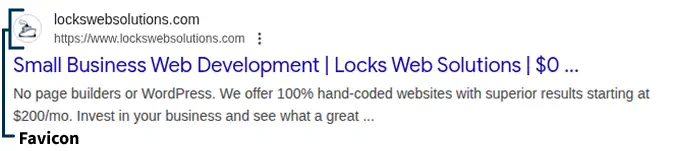
The favicon is the small image that appears next to your page title in the SERP. It also serves as the icon for mobile apps on iOS and Android devices. Favicons are important for brand recognition, helping your site stand out among other search results.
Sitelinks
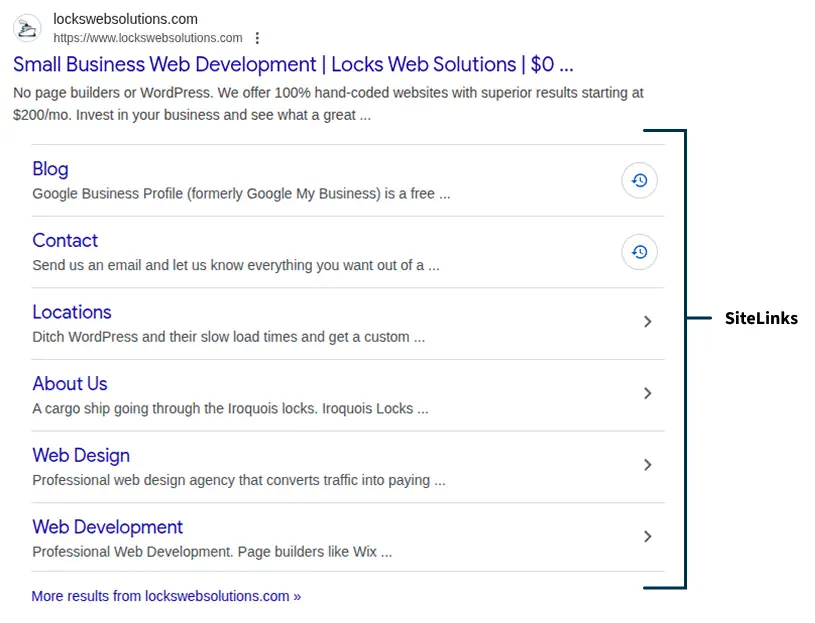
Sitelinks are additional pages that appear beneath the main site listing in the SERP when the search engine deems them relevant. They aren’t critical for SEO, but if there’s a page you don’t want displayed, the best approach is to deindex it.
Og Metadata

Open Graph (OG) metadata controls how your webpage appears when shared on social media. OG tags specify which image, title, URL, and description should appear in the preview, helping improve click-through rates before users even visit your page.
Videos & Images
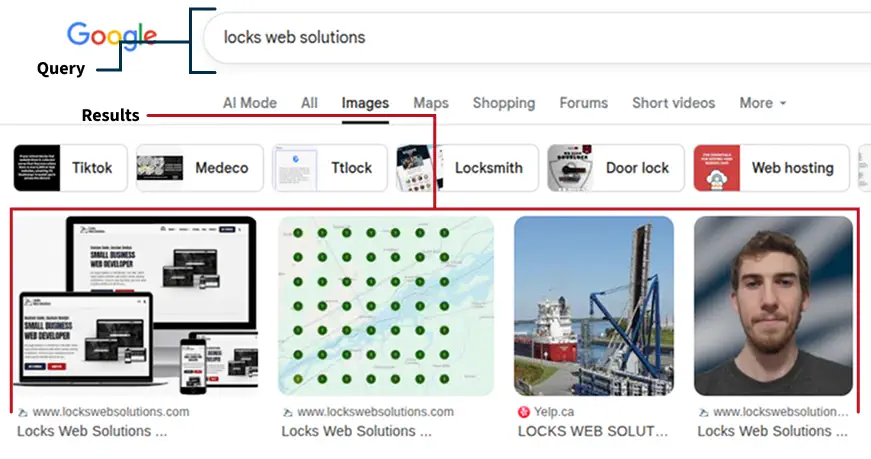
Adding proper attributes like alt text and title tags to images and videos helps them appear in search results. High-quality visuals with descriptive attributes increase the likelihood that users will click on your content.
Structured Data Markup (Schema)
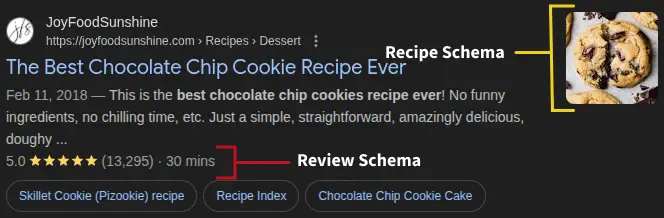
Adding structured data can enhance how your pages appear in search results, creating more engaging rich results. Depending on the type of content, rich results such as enhanced text snippets, ratings, or other visual elements can significantly improve click-through rates on the SERP.
Ranking Factors
Technical SEO does have some ranking factors although not as important as on-page and off-page signals. While we don’t know their exact weight, cumulatively they do make a meaningful difference. Ensuring your site is compliant gives you the best chance to rank on your specific pages.
https / http
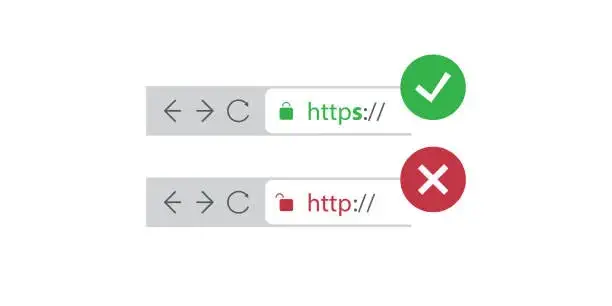
HTTPS is a ranking factor, people and search engines don't want to be susceptible to man in the middle attacks. You can rank with HTTP but it's an uphill battle, HTTPS is important for both user and search engine trust.
PageSpeed and Web Core Vitals
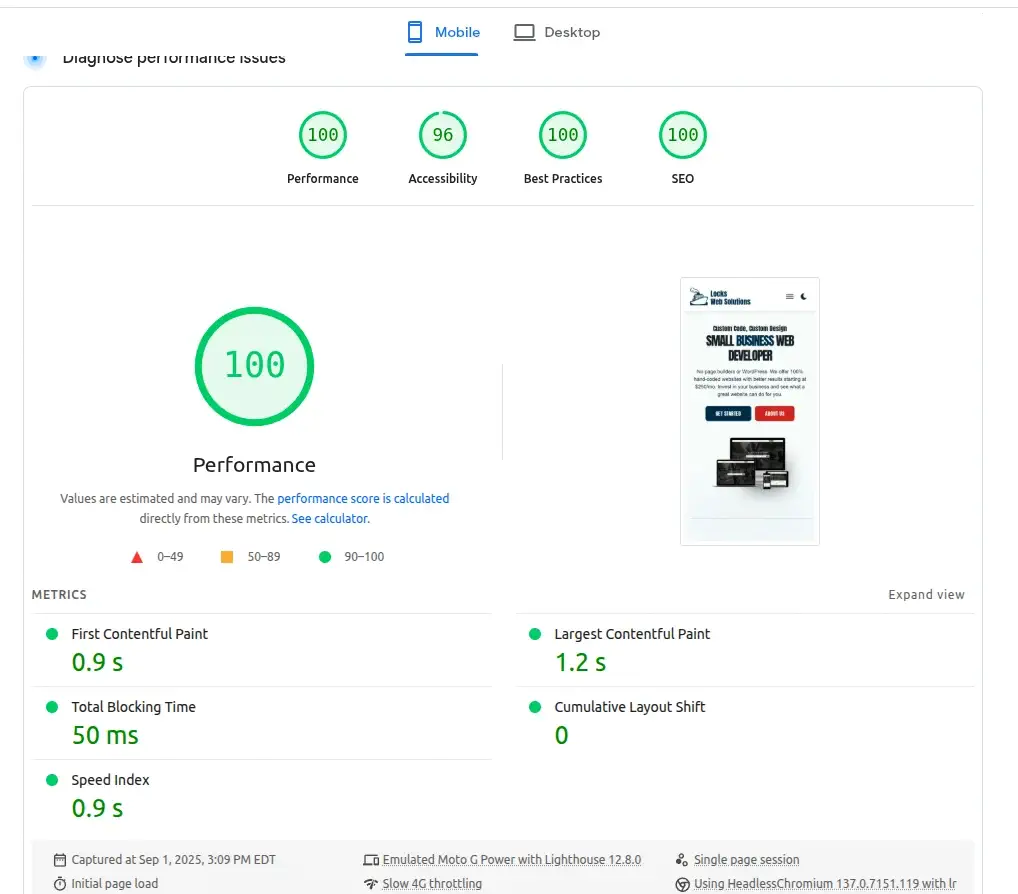
Core Web Vitals are three specific performance metrics within the broader PageSpeed score that impact rankings which are LCP, INP and CLS. The other two are not as important but are still worth mentioning. These vitals focus on user-centric aspects of a webpage’s experience, including loading speed, interactivity, and visual stability.
Largest Contentful Paint (LCP)
This metric measures how long it takes for the largest content element such as an image or text block to fully load and become visible on the screen.
Interaction to Next Paint (INP)
Measures the page's responsiveness to user interactions (like clicks or taps) throughout the entire session.
Cumulative Layout Shift (CLS)
Measures how much the content of a page shifts unexpectedly during loading.
Time to Interactive (TTI)
Measures how long it takes before the screen is interactive to the page visitor.
Total Blocking Time (TBT)
Measures the total time a page's main thread is blocked from responding to user input during loading.
Mobile Friendliness
Search engines primarily use the mobile version of a site for indexing and ranking, due to the high volume of searches conducted on mobile devices. WIX sites in particular have a hard time with this.
Orphan Pages
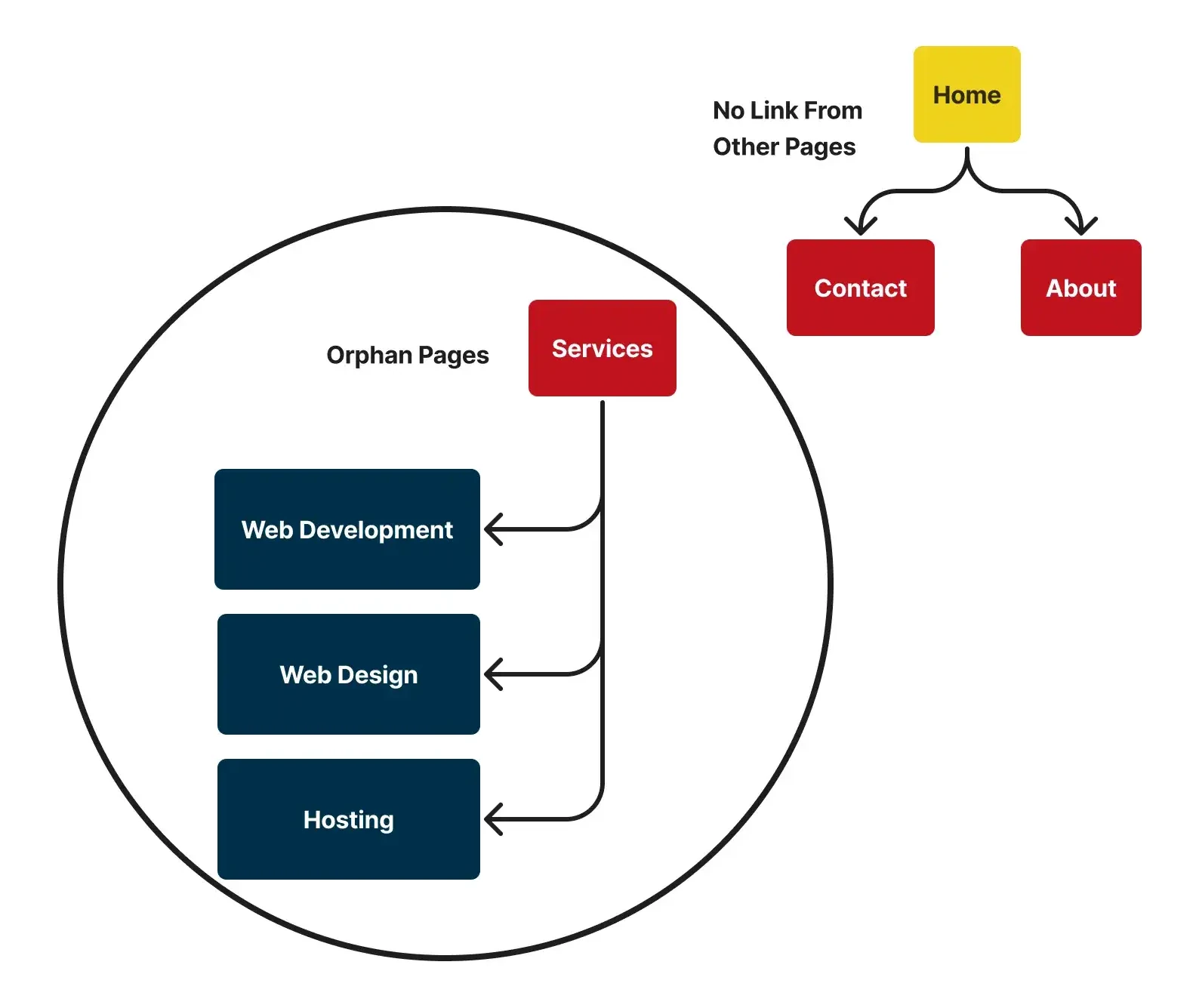
Orphan pages are web pages that have no internal links pointing to them, making them difficult for both users and search engines to discover them hurting crawlibility.
Broken Links
Broken links are URLs that lead to non-existent pages (e.g., a “404 error”). Negatively impact your crawl budget and user experience.
Conclusion
Technical SEO is the foundation of any successful website. If the basics aren't in place, even great content won't show up in search results. Getting these issues sorted early improves your rankings and saves you a lot of headaches down the road.
If you’d like a technical audit, reach out we will be more than happy to assist you.